Claude
 ChatGPT
 Gemini
“I didn’t know I was supposed to do that!”
“Nobody told me about this task.”
“How was I supposed to know it was that important and you needed it today?”
If you’ve heard lines like these from your team even once, you’re not alone.
When a team moves to a hybrid or remote model, breakdowns in async communication are common, almost natural. But natural doesn’t mean acceptable.
Fix them before you get stuck in a spiral of misunderstandings. In this guide we’ll walk you through the specific rules that have held up in more than 200 team transformations.
| In short | |
|---|---|
| Why are async communication rules the foundation of performance? | Without clear rules you get things left unsaid, delays and eroding trust, especially when the team never meets in person. |
| How does giving a reason change the way your team responds? | One word, “because”, makes people more engaged and more careful with a request, even when the request sounds absurd. |
| What is overcommunication, and how do you use it well without overwhelming the team? | In a distributed team it’s better to say too much than too little, but balance is the key: don’t bury people in email, communicate async. |
| How do you build a communication structure with your team? | Agree on tools, channels and response times together. The structure only works when everyone knows it and has signed up to it. |
The right async communication rules are the foundation of a productive remote team

The right async communication rules remove the four sources of chaos in remote teams: things left unsaid, misreadings, blurred responsibility and no access to up-to-date information. Hybrid teams face the same problems, with a twist. Decisions made “in the hallway” automatically cut out whoever is working from home that day, so sticking to the rules matters even more.
As a leader, it’s your job to make sure none of these four has room to grow in your team.
Unclear rules for passing on information hit productivity directly, for individuals and for the whole team. Why? Mostly because you can’t just catch someone in person, ask a follow-up question or clear up a doubt. You end up working on untested assumptions.
Then there’s the people side. In a remote team it’s hard to build deeper working relationships. You don’t bump into each other in the hallway or the office kitchen. There’s no space to clear the air after a misunderstanding. That breeds frustration and wears down trust between team members.
Your role as a leader is to put good communication rules in place so these situations don’t happen. Start with yourself, then roll the changes out to the whole team.
Where do you begin?
Give your reasons

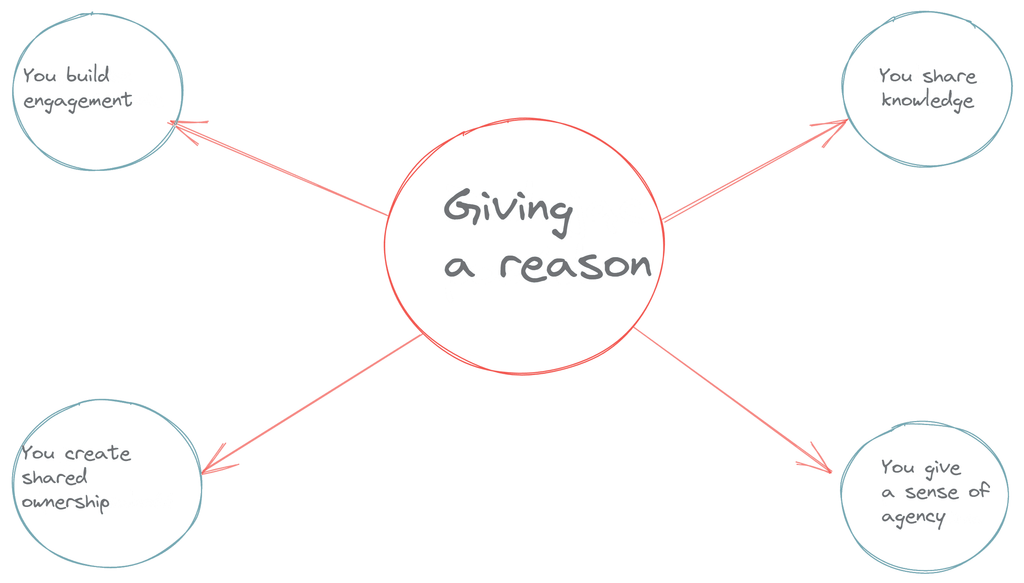
Explaining why you’re asking for something is the simplest way to build engagement in a distributed team. One word, “because”, changes how people approach the task.
Without context, your requests can look absurd. Your colleagues will then treat them with caution, or even reluctance.
What that leads to:
- tasks done late;
- work that doesn’t match what you had in mind;
- a lack of care that drags down the quality of the whole project.
When does this happen? When you don’t give a reason for your request. Effective delegation in a remote setup starts right here, with explaining the “why”.
Just remember: be honest.
Don’t invent reasons only to get someone to do the task. Honesty is the base you build every relationship in your team on, and good communication in a remote team rests on it. Without trust in a distributed team, no tool or process will work.
Communicate, because your team expects it
Your people need predictable, regular communication. It makes them feel safe and gives them confidence they haven’t missed anything that matters. As a leader, it’s your job to give them that.
It gives them:
- the sense that they’re up to date,
- peace of mind that someone is keeping an eye on their work,
- less pressure, because the fear of forgetting something or getting it wrong goes away.
When things go wrong, when they’ve dropped the ball or delivered something that missed the mark, they expect a clear message with the full picture of what went wrong.
That doesn’t mean dry facts in an email. It means communicating with everything you’ve got, facial expressions and body language included. Use them in remote work too, especially when you’re dealing with conflict or a crisis.
A few tips:
- Match your tone of voice to the situation.
- Use your hands when emotions run high.
- Keep an open posture when you’re giving praise.
- Smile when you’re announcing a win.
Save the poker face for client calls. Inside the team, too much distance can throw people off, because they read you on gut feeling, not by analyzing every word.
Communicate as much as you possibly can

In a distributed team, overcommunication isn’t a mistake. It’s a necessity that cuts the risk of misunderstandings when you don’t see each other every day.
Feel like you’ve already reminded the team about the deadline ten times? Do it an eleventh time.
There’s no such thing as overcommunicating in a remote or hybrid team. When you don’t see each other, or rarely talk face to face, misunderstandings come easily. It’s just as easy to miss a task or a deadline, especially if you’re still early in your digital transformation and don’t use a work management tool like Asana.
But be smart about it. What does that look like?
Good communication rules for remote and hybrid teams: keep things flowing with async
In remote work, communication flows through asynchrony: using channels that don’t demand an instant reply and that respect every team member’s deep work.
Don’t keep calling people or flooding them with email. You’ll hurt productivity instead of helping it. Here’s why:
- The average employee loses 40 hours a year just checking email.
- After reading an email, it takes about 90 seconds to get back to what you were doing.
- Interrupting a developer for a couple of minutes can cost them as much as 23 minutes to get back into the code.
- Chasing people with reminders eats into time you could spend building your team’s organizational culture.
- Feeling constantly watched causes stress and sours the atmosphere.
- People flooded with email eventually start ignoring it, and then they miss something that really matters.
So what’s the answer? BALANCE.
Remind without pushing, ideally as a request. If the final deadline is far off, let it go for now. Step up the communication as the deadline gets closer, and ask whether people have everything they need.
You’ll come across as a leader who cares about the team’s wellbeing, not just the task.
Communicate asynchronously. Use tools that respect everyone’s time and way of working. They leave room to reply later when an instant response isn’t needed.
Match the channel to the situation. We covered this in more depth in Async communication tools for remote teams. Here’s a simplified cheat sheet to help.
| Channel | Priority / urgency | Type of task or request | Response time | |
|---|---|---|---|---|
| Synchronous communication | Google Chat Phone Video calls | Important and urgent | Getting information right away; Resolving conflicts, if any; Giving negative feedback | Immediately |
| Asynchronous communication | Email Google Chat/ Asana Slack-style messaging apps | Important / not urgent | Getting information that matters but isn’t needed right now; Giving feedback; Organizing work and running projects; Assigning tasks | As it comes/ within 1 day |
| Asynchronous communication | Asana: idea board / backlog | Not urgent | Time-wasters, meaning tasks nobody should be working on; Ideas that come to mind but aren’t tied to your current goals | When you have a spare moment / no pressure |
Build a communication structure
A communication structure is a set of clear rules for who passes on information, when, and through which channel. Without one, even the best tools won’t get rid of the chaos.
You roll out good communication rules starting with yourself. That doesn’t mean you forget about the team. Once bad habits become routine, they’re much harder to break.
Using what you know and how your team already works, propose a communication structure. Your remote team’s communication rules should take into account:

- The communication tools you have: are you still running on email, or have you moved to a task management system like Asana? This may be a good moment to bring it in and start your digital transformation.
- How you communicate today: check whether information flows smoothly, especially if you’ve only just moved from the office to a hybrid or remote model.
- How each person works: take the time to learn each team member’s situation. Do they prefer to work early or late? Do they share their home office with small kids? Do they work from a coworking space? This gives you a picture of the challenges they face.
You take the initiative, but… the final shape of your team’s communication rules has to be agreed together. That’s the only way to get full buy-in and real commitment to rolling them out.
In the Reliability Protocol, we work on this in the Work Conventions stage, where we define communication standards for the whole team.

A communication structure has to meet 4 conditions to work. It has to be:
- set by everyone,
- known to everyone,
- understood by everyone,
- accepted by everyone.
Then, and only then, will it work. If you don’t hammer out the rules together, every attempt at change ends the same way: a week later, everyone is back to their old habits.
Want to see how well communication in your team actually works? Take the free Reliability Diagnostic. It’ll show you which rule to start with.
Frequently asked questions
Async (asynchronous) communication is a way of sharing information where the sender doesn’t expect an instant reply. The recipient responds when it suits them, which protects their focus and leads to more considered answers.
How is communication in a hybrid team different from a remote team?
The biggest risk in a hybrid team is information asymmetry: people in the office settle things “in the hallway” and remote team members get left out. That’s why async communication rules, with decisions written down in one shared channel, should apply to everyone, wherever they work.
Which tools support async communication best?
The core is a task management system (like Asana), a messaging app with threads (like Slack) and a tool for recording video messages (like Loom). What matters most is that the team has clear rules on which tool is for which kind of communication.
How do you delegate tasks async?
Delegating async takes three things: a precise task description, context (why it matters), and a clear due date with ownership assigned in a tool like Asana.
Doesn’t overcommunication annoy the team?
Not if you’re smart about it. Remind without pushing, as a request. Focus on deadlines that are getting close, and always ask whether the team has everything it needs to get the work done.
How do you build a communication structure in a remote team?
Start by auditing your current channels and how the team works. Then agree on the rules together: which tool is for what, the expected response time, and how to escalate urgent issues. The structure only works when everyone knows it and has signed up to it.
Will async communication replace meetings?
Not completely. Async works well for day-to-day operational work, but you still need live meetings to build relationships, resolve conflicts and make decisions together.